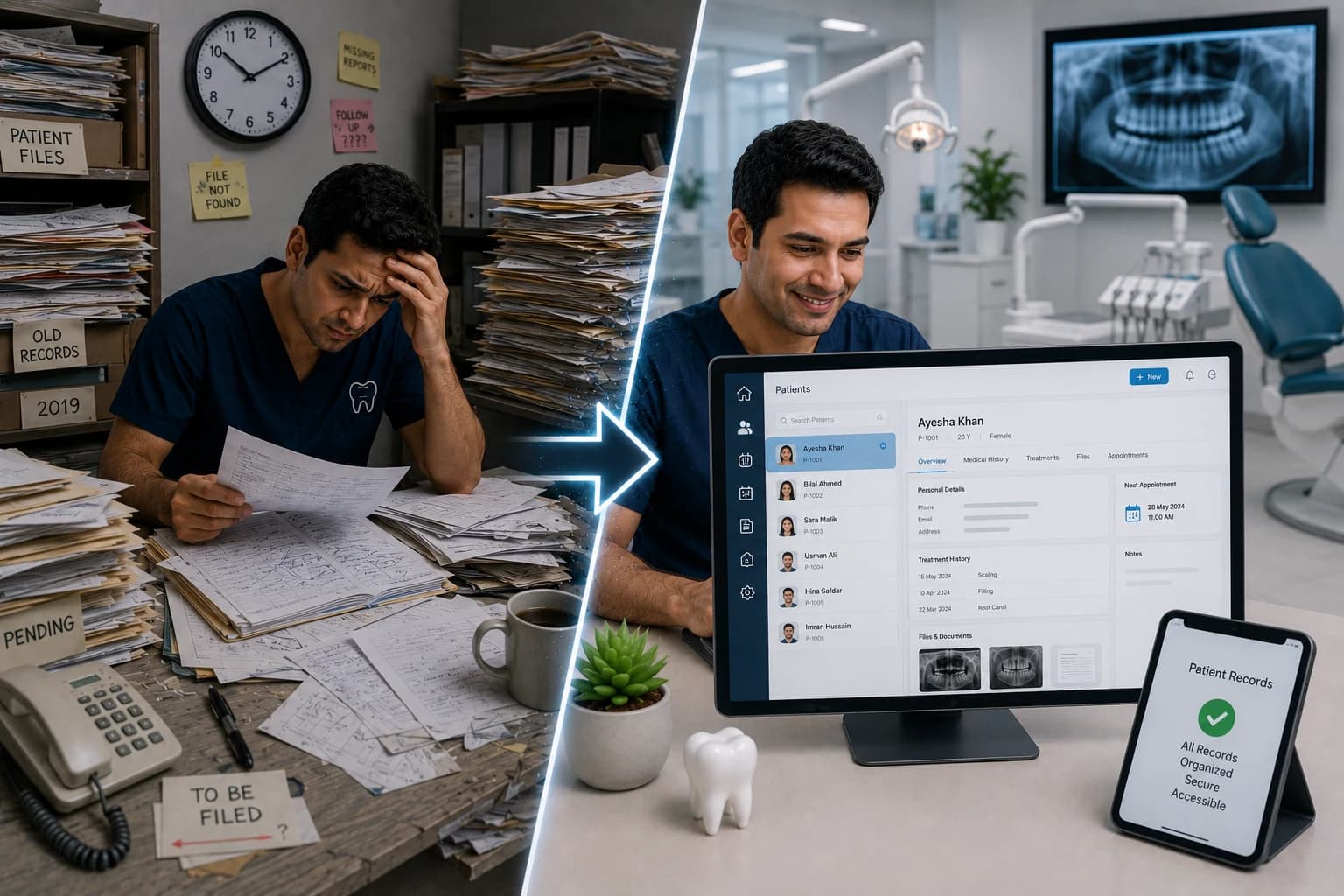
Patient Records: From Messy Files to Organized Digital System
Messy paper files cost $18K–$37K yearly before you treat a single patient. Learn how organized digital records cut chart time 70%, protect audits, and connect billing in Pakistan clinics.
Quick answer
Digital patient records in cloud dental software cut chart retrieval time and link treatments to billing on one profile. Migrate new patients first, then top 50–100 active charts over 30–60 days.
A receptionist searches three drawers. The hygiene update from last month is in a plastic sleeve behind the wrong name. The dentist starts late. The patient notices.
That is not bad luck — it is what messy patient records cost you every week. Industry estimates put paper chart maintenance at $18,000+ in supplies for a 3,000-patient panel, plus 500+ staff hours annually just pulling and refiling files (Yapi paperless ROI analysis). Add duplicate data entry and lost production, and many clinics bleed $40,000–$120,000 per year before clinical work begins — the same range we detailed in Why Pen & Paper is Killing Your Dental Practice (Real Numbers).
Over 87% of dental practices now use electronic dental record systems globally (Clerri adoption stats, 2025). The gap in 2026 is not whether to digitize — it is whether your records are organized, searchable, and connected to scheduling, charting, and billing.
This guide walks clinic owners through what a proper digital patient file looks like, how to escape folder chaos, and a 30-day migration plan — with Pakistan-specific tips on WhatsApp, cash payments, and multi-chair handoffs.
The Real Cost of Messy Patient Files
Messy records are not only paper. Hybrid clinics — paper charts plus Excel plus WhatsApp screenshots — often lose more time than pure paper because nothing is the single source of truth.
Direct costs you can calculate
| Cost category | Paper / hybrid estimate (annual) | Digital organized estimate |
|---|---|---|
| Chart supplies & storage | $1,600–$18,600 | Near $0 (cloud storage) |
| Pull / file / search labor | 500+ hrs (~$10,000–$16,000) | 50–100 hrs (~$1,000–$2,000) |
| Duplicate registration entry | 300+ hrs (~$6,000) | One entry at booking |
| Lost or incomplete charts | 2–5% production at risk | Audit trail + mandatory fields |
| Typical total (mid-size clinic) | $25,000–$45,000+ | $3,000–$8,000 software + training |
Dental Economics broke down similar hidden costs: $600/year in new chart materials, $1,000/year in cabinet space, $6,000/year in mail you could send digitally, and $6,000/year in six minutes of chart handling per active patient (Dental Economics, digital record economics).
Clinical and legal risk
UK audits of 1,128 general practice records found 44% of dental charts inaccurate — missed restorations, wrong surfaces, teeth charted that were not present (PubMed, 2017). Paper illegibility and handoffs between dentists multiply that risk. A structured digital record with a linked digital tooth chart reduces "which tooth did we treat?" disputes and strengthens informed consent.
What "Organized" Actually Means in 2026
An organized digital patient record is not a scanned PDF dump. It is a single profile every authorized staff member opens in seconds.
The seven layers of a complete file
1. Identity & contact — legal name, CNIC where collected, phone in consistent format (923…), emergency contact, occupation.
2. Medical & dental history — allergies, medications, conditions; chief complaint and habits.
3. Clinical chart — odontogram, perio, examination findings, progress notes per visit.
4. Treatment plan — phased care, fees discussed, acceptance timestamp.
5. Appointments — past and future linked to provider and chair.
6. Financial — invoices, partial payments, outstanding balance (see Smart Billing Tips).
7. Communications — reminders sent, WhatsApp opt-in status, recall due dates.
When these layers live in one system, the front desk stops being a filing department and starts protecting revenue.
Paper vs Digital: Side-by-Side Workflow
| Task | Messy paper / hybrid | Organized digital |
|---|---|---|
| New patient registration | 15–20 min paper + re-type into PC | 5–8 min once (form or staff entry) |
| Chart retrieval at check-in | 2–10 min search | <10 sec search |
| Dentist reads prior treatment | Flip pages; may miss last visit | Full timeline + odontogram |
| Hygienist handoff to doctor | Verbal + partial notes | Shared live chart |
| End-of-day recall list | Manual spreadsheet | Auto filter by last visit date |
| Backup / fire / flood | Physical loss risk | Cloud backup + export |
Practices going paperless report 15–20 staff hours saved weekly and faster case acceptance when patients see visual plans on screen (Dentistry Dashboard, going paperless).
Why Hybrid Records Fail Multi-Chair Clinics
If you run three dentists and four chairs, paper chaos scales linearly — four times the misfiling risk. Shared digital schedules plus per-patient notes prevent "Dr. B thought Dr. A already wrote the plan" errors. Our guide on How to Manage 3 Dentists & 4 Chairs Without Chaos pairs directly with centralized records: the schedule and the chart must reference the same patient ID.
Hybrid clinics also break reminder automation. You cannot trigger WhatsApp appointment reminders from a folder in a cabinet. Empty reminder fields in software usually mean the phone number never entered the system once — a records problem, not a marketing problem.
Step-by-Step: From Messy Files to Organized Digital System
Phase 1 — Stop the bleeding (Week 1)
- New patients only on digital — no new paper charts.
- Standardize phone format (923XXXXXXXXX) at registration.
- Create three folders physically: Active paper, Scan queue, Archive — stop random piles on desks.
- Pick one software profile as source of truth (avoid parallel Excel patient lists).
Phase 2 — Active panel migration (Weeks 2–3)
- At each visit, verify demographics in software before treatment.
- Enter last 2 visits of clinical summary for high-value patients (ortho, implant, perio).
- Link open balances to patient profiles if billing was separate.
- Train staff on search: name, phone last four digits, patient number.
Phase 3 — Clinical depth (Week 4)
- Roll out digital odontogram for all new examinations.
- Attach X-rays and photos to the patient profile (not only on the desktop).
- Document consent in-system before major procedures.
- Run first monthly report: patients with no visit in 12 months (recall list).
Phase 4 — Hardening (Month 2+)
- Enable automatic daily backups (cloud vendor or export job).
- Define role permissions: who can edit clinical vs view-only front desk.
- Quarterly record audit: 10 random charts — complete history, plan, notes?
- Optional: batch-scan legacy charts by year; do not wait for 100% scan to go live.
| Week | Focus | Success metric |
|---|---|---|
| 1 | New patients digital-only | 100% new registrations in software |
| 2 | Active panel demographics | 80% phones verified |
| 3 | Billing linked to patients | AR report matches patient list |
| 4 | Clinical charting live | 90% new exams have odontogram |
| 8 | Recall automation | Monthly recall list generated automatically |
Data Quality Rules That Keep Records Clean
Organized beats "digital but messy." Enforce these rules at the front desk:
- No appointment without a patient profile — walk-ins get a 60-second minimum record.
- Mandatory fields — phone, chief complaint, allergy question on every new file.
- One patient = one phone — merge duplicates weekly; duplicates cause double reminders and billing confusion.
- Close the loop same day — treatment note or "no treatment" flag before patient leaves.
- Naming convention — "Ahmad Khan" not "ahmad," "Mr. Ahmad," and "A. Khan" as three patients.
Poor data quality undermines every other module — including no-show reduction and collections.
Pakistan Context: WhatsApp, Cash, and Power Cuts
Pakistani urban clinics often run high WhatsApp volume and mixed cash / bank / card payments. Your patient record should store:
- WhatsApp-valid phone and consent status (reduces reminder failures).
- Preferred language for messages (Urdu vs English invoice text).
- Payment habits — deposit required yes/no (reduces pending balances).
- Referral source — which doctor or social channel (marketing ROI).
When load-shedding hits, cloud PMS with mobile-friendly access beats a desktop-only server in the back room. Staff can confirm tomorrow's list from a phone browser if the vendor supports responsive login — verify this before you sign a contract.
Regulatory awareness: maintain records per PMDC and local council retention expectations; digital does not remove the duty to keep complete clinical notes — it makes compliance easier to prove.
Signs Your Records System Is Still Failing
Even with software installed, watch for these red flags — also covered in 7 Major Problems Every Dental Clinic Faces in 2026:
- Staff keep a parallel notebook "because the system is slow."
- Duplicate patients with the same phone number.
- Dentists re-ask medical history every visit (history not read).
- Billing disputes because the chart and invoice do not match.
- No backup test in the last 90 days.
- Cannot produce a patient's last 3 visits in under 60 seconds.
If three or more apply, you have an organization problem, not a software problem. Fix workflows before switching vendors again.
The Bottom Line
Messy patient files are a silent tax on every chair hour: $25,000–$45,000+ in labor, supplies, and leakage for a typical mid-size clinic, plus 44% chart inaccuracy risk documented in national audits. Organized digital records — one profile, seven layers, enforced data rules — cut retrieval time by 70–90%, connect clinical work to billing, and unlock reminders that actually reach patients.
You do not need a hospital IT department. You need one source of truth, a 30-day migration, and staff habits that treat the patient profile as seriously as sterilization.
About Denzif
Denzif is cloud dental practice management for established small-to-mid clinics in Pakistan — patients, appointments, treatments, billing, inventory, WhatsApp reminders, and optional AI on Standard. Get custom PKR pricing or request a private walkthrough.
Frequently Asked Questions
At minimum: demographics and contact details, medical and dental history, consent documentation, clinical examination notes, odontogram or tooth chart, treatment plans with patient acceptance, progress notes per visit, imaging and lab references, billing and payment history, and communication logs (reminders, follow-ups). Digital systems should link these in one patient profile.
Ready to put this into practice?
Custom PKR pricing for established clinics. Private walkthrough after we confirm fit. Setup in about 15 minutes.