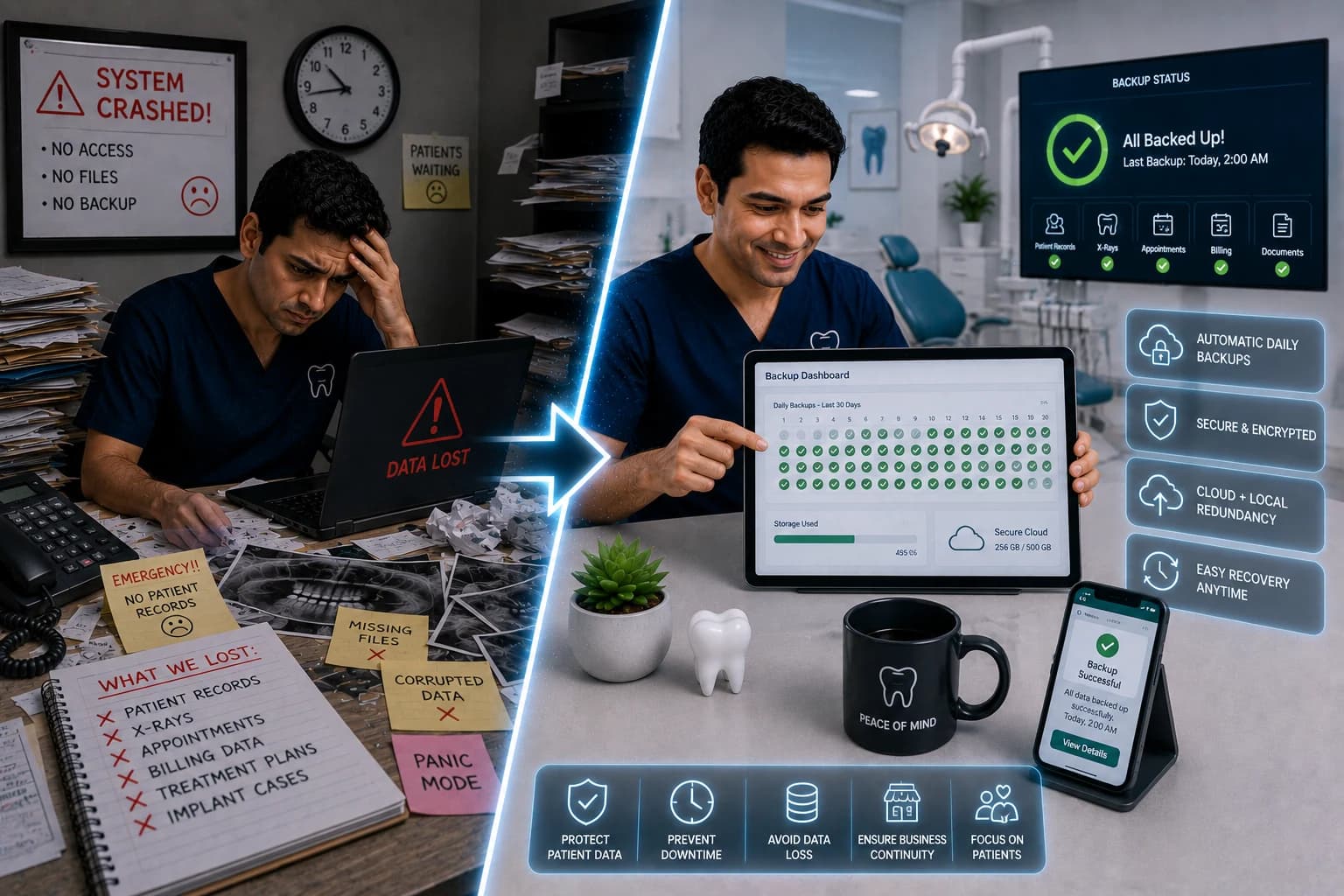
Why Daily Automatic Backups Are Critical for Your Dental Clinic
One ransomware hit can cost $200 per patient record and shut chairs for days. Learn the 3-2-1 backup rule, restore testing, and a 14-day setup plan for Pakistan clinics.
Quick answer
Pakistan dental clinics should use automated daily backups and quarterly restore tests. Denzif Pro includes daily backups on cloud infrastructure — no on-prem server required.
A dental clinic with 4,000 active patient records that loses its database to ransomware — or a failed hard drive with no working restore — is looking at $800,000+ in breach-related costs at industry averages of $200 per compromised record, plus $1,500–$5,000 per day in lost production while chairs sit empty.
That is not a hospital IT problem. In 2025, healthcare ransomware attacks rose 58%, dental practices were named in major breach disclosures, and practices that restored from tested backups survived the same week others paid five-figure ransoms or rebuilt charts by hand (The Molar Report ransomware guide).
If you still treat digital patient records as "safe because they're on the computer," daily automatic backups are the difference between a bad afternoon and a closed clinic for two weeks.
Why Daily Backups Are Non-Negotiable in 2026
The threat landscape for dental clinics
| Risk type | Share of dental data incidents | Typical trigger |
|---|---|---|
| Ransomware / cyberattack | Rising fast (636 healthcare attacks in 2025) | Phishing, weak passwords, vendor breach |
| Device theft or loss | ~62% of breaches since 2010 | Laptop, phone, external drive |
| Hardware failure | Common, under-reported | Aging server, power surge, no RAID |
| Accidental deletion | Frequent | Bulk delete, bad import, staff error |
| Local disaster | Lower frequency, total loss | Fire, flood, theft of on-prem server |
More than 30% of dental practices experienced a HIPAA-related data breach in the past three years (Resonate HIPAA dentistry statistics, 2026). Pakistan clinics face the same record types — CNIC, phone numbers, treatment history, billing — with often thinner IT staffing than U.S. groups.
What "daily automatic" actually means
- Automatic: No staff member must remember to click "backup tonight"
- Daily: Maximum 24 hours of data at risk (often less with continuous DB snapshots)
- Verified: Logs show success; failures alert someone within hours
- Offsite: At least one copy not on the same network as production
- Tested: Quarterly restore drill to a sandbox — not "we assume it works"
Manual USB copies left in a drawer fail all five criteria the moment someone forgets for two weeks.
The 3-2-1 Rule (Applied to Dental Practices)
Three copies
1. Live production database (your clinic software)
2. Local or vendor-managed backup snapshot
3. Offsite encrypted copy (cloud or physically separate location)
Two media types
Example: cloud object storage + encrypted external drive stored offsite — not three copies on the same server.
One offsite
Ransomware encrypts everything reachable. True Dental Care (Pennsylvania, 2025) did not pay ransom — they restored from backups (breach disclosure reports). That only works if offsite copies were disconnected and intact.
Cost of No Backup vs. Cost of Proper Backup
| Scenario | One-time / annual cost | Downtime | Record risk |
|---|---|---|---|
| No backup, ransomware | $50,000–$150,000+ ransom demand OR rebuild | 1–3+ weeks | Total loss possible |
| Untested "backup" | $0 until failure | Same as no backup | False confidence |
| Daily auto + offsite + quarterly test | $500–$3,000/year (varies by size) | Hours–1 day | Minimal if tested |
| Integrated clinic platform backup | Often included in SaaS | Faster restore path | Vendor + your export layer |
Insurance carriers increasingly ask for backup restore test logs and MFA before renewal — premium increases of 30–60% when practices cannot produce them (business continuity dental guidance).
What to Backup (Checklist)
| Data category | Why it matters | Priority |
|---|---|---|
| Patient demographics & charts | Legal, clinical continuity | Critical |
| Appointments (past + future) | Schedule integrity, no-show recovery | Critical |
| Billing & payment history | Revenue, disputes, tax | Critical |
| Digital odontogram / treatment notes | Cannot recreate from memory | Critical |
| Inventory & supplier orders | Ops continuity | High |
| Staff accounts & permissions | Security rebuild | High |
| WhatsApp / reminder templates | Patient comms continuity | Medium |
| Exported reports & analytics | Trend history | Medium |
If pen-and-paper fallbacks still exist in your clinic, backups are even more urgent — you are one disk away from duplicating chaos in digital form.
Mistake #1: Backup Drive Plugged Into the Server
Connected drives get encrypted with production data. Use cloud offsite or rotate disconnected drives taken home daily — not a USB labeled "BACKUP" sitting in the server room.
Mistake #2: Never Testing a Restore
HHS OCR enforcement actions have cited missing or untested contingency plans (HIPAA Security Rule 164.308(a)(7)). A backup you cannot restore is inventory — not insurance.
Quarterly restore test (30 minutes)
1. Pick one random patient record from last month
2. Restore to sandbox or export file
3. Open chart, appointment, and invoice — confirm match
4. Log date, person, result in one Google Doc or ops binder
5. If fail → fix before end of week
Mistake #3: Relying on One Person's Memory
"When Ahmed leaves, ask him about backups" is not a plan. Document:
- Backup vendor / settings URL
- Who receives failure alerts
- Restore steps (screenshots)
- Emergency contact if vendor down
14-Day Backup Implementation Plan
Days 1–3: Inventory where data lives (PMS, imaging, spreadsheets, WhatsApp export tools). Confirm AI and automation tools also store data you own.
Days 4–7: Enable automatic daily backups in clinic software; add encrypted offsite copy; disconnect live backup targets from production network.
Days 8–10: Set failure alerts to owner + one backup contact; document restore procedure.
Days 11–14: Run first full restore test; fix gaps; brief staff on "what we do if systems are down" (paper schedule template, phone script).
Pakistan-Specific Backup Notes
- Load-shedding: UPS for server/router; cloud-first reduces on-prem single point of failure
- Shared office PCs: Login accounts and permissions matter — backups useless if ransomware spreads from one desktop
- WhatsApp patient threads: Not a system of record; ensure appointments and notes live in backed-up clinic software (WhatsApp automation complements, not replaces, records)
- Vendor in Pakistan vs. abroad: Confirm data residency, export rights, and support hours for restore emergencies
- Cost framing: Rs. 15,000–40,000/month in preventable downtime exceeds most backup subscriptions within one missed day of production
The Bottom Line
Daily automatic backups are not IT vanity — they are chair-time insurance. With $200-per-record breach costs, 58% ransomware growth in healthcare, and practices surviving attacks only when restores work, "we'll set it up later" is the most expensive deferral on your list.
Test restores quarterly. Keep one copy offsite. Document who fixes it when alerts fire at 2 a.m.
About Denzif
Denzif is cloud dental practice management for established small-to-mid clinics in Pakistan — patients, appointments, treatments, billing, inventory, WhatsApp reminders, and optional AI on Standard. Get custom PKR pricing or request a private walkthrough.
Frequently Asked Questions
At minimum daily for all electronic protected health information (ePHI) — appointment records, charts, billing, and imaging metadata. High-volume or multi-location practices often run continuous or hourly backups for the practice management database. Anything less than daily leaves a full business day of production at risk.
Ready to put this into practice?
Custom PKR pricing for established clinics. Private walkthrough after we confirm fit. Setup in about 15 minutes.